
The Aadhaar card, issued by the Unique Identification Authority of India (UIDAI), is a vital document for Indian residents. It serves as proof of identity and address, and it's often required for various governmental and non-governmental services. If you need to download your Aadhaar card, this guide will walk you through the process.
Step 1: Visit the UIDAI WebsiteTo start, go to the official UIDAI website at uidai.gov.in. This is the only authorized portal for all Aadhaar-related services.
Step 2: Navigate to the Download Aadhaar SectionOn the UIDAI homepage, look for the "My Aadhaar" tab in the main menu. Hover over it to reveal a dropdown menu, and select "Download Aadhaar."
Step 3: Choose the Download OptionYou will be directed to the "Download Aadhaar" page, where you have multiple options to download your Aadhaar card:
-
Aadhaar Number: If you know your 12-digit Aadhaar number.
-
Enrollment ID (EID): If you have the 14-digit enrollment ID provided during registration.
-
Virtual ID (VID): A 16-digit temporary code that can be used instead of the UID number.
Select the appropriate option and proceed.
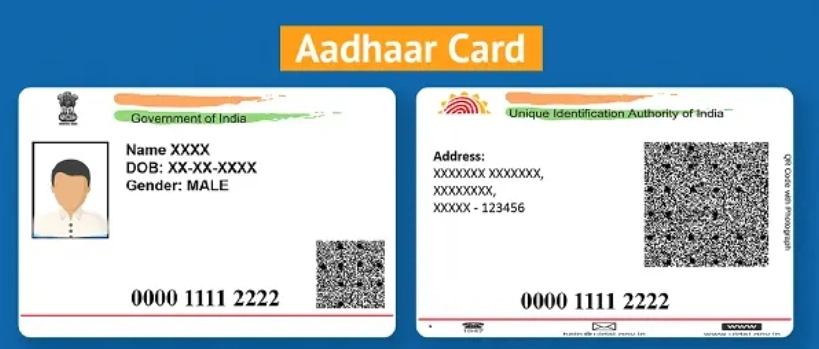
Step 4: Enter Required Details
Depending on the option you chose, you will need to enter:
-
Aadhaar Number: Enter your 12-digit Aadhaar number.
-
Enrollment ID: Enter your 14-digit EID and the 14-digit date-time stamp.
-
Virtual ID: Enter your 16-digit VID.
After entering the relevant details, fill in the captcha verification code displayed on the screen.
Step 5: Request OTPClick on the "Send OTP" button. An OTP (One-Time Password) will be sent to your registered mobile number. Enter this OTP in the space provided and click on "Verify and Download."
Step 6: Download and Open the PDF
After OTP verification, your Aadhaar card PDF will be downloaded. The file is password-protected for security reasons. To open the PDF, use an 8-character password. The password is a combination of the first four letters of your name in capital letters and your birth year (YYYY). For example, if your name is Rahul Kumar and your birth year is 1985, your password would be RAHU1985.
Step 7: Print Your Aadhaar Card
Once you have opened the PDF, you can print your Aadhaar card. This e-Aadhaar is a valid and legally acceptable form of the Aadhaar card.
Troubleshooting Tips-
Invalid OTP: Ensure you enter the OTP correctly. If the OTP is invalid, request a new one.
-
Mismatch in Details: Double-check the details you have entered. Any mismatch will prevent you from downloading the Aadhaar card.
-
PDF Password Issues: Ensure the password is exactly as described (first four letters of your name in capital letters and birth year).
Downloading your Aadhaar card online is a straightforward process that ensures you always have access to this important document. By following the steps outlined above, you can quickly and securely download your Aadhaar card whenever needed. If you encounter any issues, the UIDAI website provides comprehensive support and FAQs to assist you further.
-
Shreyas Iyer vs Shubman Gill: Who's The Better T20 Captain? Check Stats

-
Young workers feel financial pressure from office snack and drink culture

-
I was promised marriage, then ignored

-
Mango Sandwich Recipe: Make Mango Sandwich for breakfast in summers, this is a quick and tasty dish…

-
Gen Z’s Unwillingness To Experience The World Is Because Of Capitalism