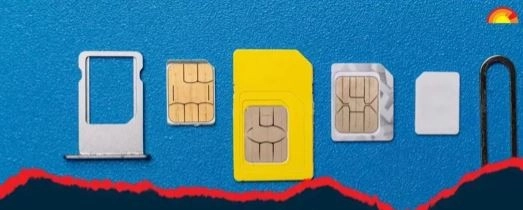
New Telecom Law: Only 9 SIM cards should be active in the name of a person. If more than 9 SIM cards are taken on a single Aadhaar card, there is a provision for fine and punishment. The new Telecom Act has come into force in the country. If more than 9 SIM cards are found active, then first time offenders will have to pay a fine of Rs 50,000.
HIGHLIGHTS
- The new Telecom Act 2023 has come into force in the country.
- Only 9 SIMs should be active on one Aadhar card.
- Violation of the rules will attract a fine of up to Rs 2 lakh.
Technology Desk, New Delhi. The new telecom law has come into force in the country. According to the new rules, only 9 SIMs will be allowed on a person's Aadhaar card (How Many Sim Cards On Your Aadhaar). If this is not done, there is a provision of fine and punishment for violation of rules.
50 thousand to 2 lakh rupees fine will have to be paid
If more than 9 SIM cards are found active on a single Aadhaar card, the penalty is Rs 50,000 for first-time offenders and Rs 2 lakh for repeat offenders.
There is a provision of fine up to Rs 50 lakh and three years imprisonment for obtaining a SIM card through fraud.
How many sims are in your name?
After the implementation of the new law, it has become even more important that you keep information about the total number of active SIM cards taken on your Aadhaar card.
However, there is no need to visit any office to do this. You can get information about all the SIM cards taken in your name from the comfort of your home using your phone or laptop.
How to check how many SIMs are in your name
.jpg)
- First of all you have to come to Sanchar Saathi Portal (https://sancharsaathi.gov.in/ ).
- Now scroll down to Know Your Mobile Connections in Citizen Centric Services.
- Here you have to provide your mobile number.
- Captcha code has to be filled.
- Now an OTP will be sent to your phone number.
- OTP will have to be shared.
- Now a new page will open on your device screen.
- On this page, you will see numbers 1,2,3 written in front of Mobile numbers registered in your name.
- With this, the numbers used in your name will appear as 9198xxxx9939.
-
Shreyas Iyer vs Shubman Gill: Who's The Better T20 Captain? Check Stats

-
Young workers feel financial pressure from office snack and drink culture

-
I was promised marriage, then ignored

-
Mango Sandwich Recipe: Make Mango Sandwich for breakfast in summers, this is a quick and tasty dish…

-
Gen Z’s Unwillingness To Experience The World Is Because Of Capitalism