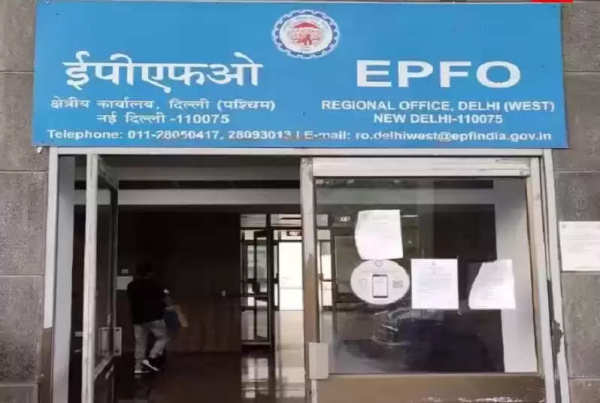
You usually get important information related to a PF (Provident Fund) account on mobile only. If you are an Employees Provident Fund Organization (EPFO) member, then to get any information through the site or Umang App, it is very important for the number registered in your PF account to be active because OTP comes on the same. In such a situation, if the EPFO registered mobile number becomes inactive then there may be trouble.
Today, in the era of digitalization, the importance of mobile has increased a lot. Especially, if we talk about banking or any other financial aspect. Whenever any transaction takes place in your account, you get the information immediately through SMS or mail. If any illegal transaction has taken place, you can take the necessary steps to stop it.
It is not just about banking, you also get important details related to PF (Provident Fund) or pension account on your mobile. If you are an Employees Provident Fund Organization (EPFO) member, then to get any information through the website or Umang App, it is very important for the number registered in your PF account to be active, because the OTP comes on the same.
Many times it happens that the number registered in the PF account is not active. In such a situation, you may miss many important information. Also, if you want to make any updates to your account yourself, you will not be able to do that either. For this, first of all, you have to update the new number in the PF account. You can do this work even sitting at home.
EPFO sends important information to its members on their mobile numbers only.
How to update a new mobile number
Open https://unifiedportal-mem.epfindia.gov.in/memberinterface/.
Login by entering your UAN number, password, and captcha code.
Click on the Manage Tool tab, and go to Contact Details.
Click on the Check Mobile Number option.
Enter your new mobile number twice.
Click on ‘Get Authorization Pin’.
As soon as you click, the new number will start appearing.
You will get a 4-digit PIN on this number.
Fill the PIN in the empty box on the page.
Click Save Changes below.
Now your mobile number will be updated on the UAN Portal. Now all the messages sent by EPFO on the new number will come on this number.
Follow our Whatsapp Channel for latest update
https://whatsapp.com/channel/0029VaBgLMfGU3BO99EQv62t
-
Don’t consider used tea leaves as useless! These 5 household chores will bring great benefits
-
Grow these 5 vegetables on balcony or terrace, enjoy fresh and chemical free crop
-
You will get a glowing face without parlor expenses! Adopt 6 home remedies to enhance your beauty

-
Mint water will keep the body cool and fresh in summer, you will get these 6 tremendous benefits

-
HantaVirus Big Update: ‘Don’t know’ how long Hantavirus will remain in humans! WHO called dangerous virus mysterious, know the whole thing