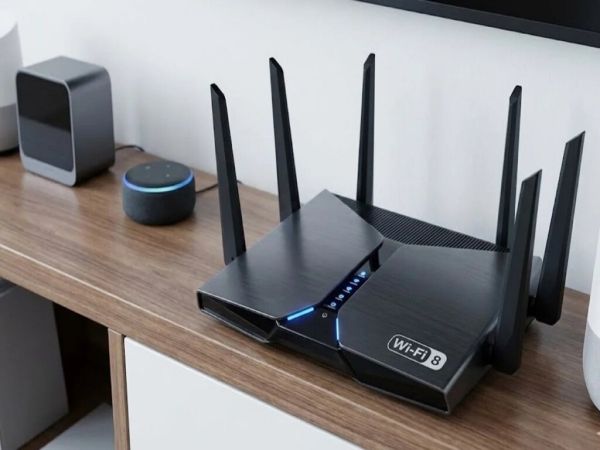
Friends, in today’s modern era, internet has become an essential thing for us, without which you cannot run mobile, laptop, many people use Wi-Fi for good network, from online classes and office meetings to OTT streaming, gaming and smart devices, almost everything now depends on a stable internet connection. But many people face a common problem: despite paying for an expensive broadband plan, their Wi-Fi suddenly becomes slow. Videos start buffering, calls get cut off, and browsing speeds slow down significantly. Let us know the reasons for slowness-
Is someone secretly using your Wi-Fi?
One of the biggest reasons behind slow internet speed is unauthorized access to your Wi-Fi network. As more devices use your bandwidth, your Internet speed automatically slows down and your data drains faster.
How to know if someone is connected to your Wi-Fi
If you suspect that someone else is using your Internet connection, log into your router’s settings and open the “Connected Devices” section. Here, you can see all the devices that are currently connected to your Wi-Fi network.
Change your Wi-Fi password immediately
The easiest and most effective way to protect your Wi-Fi is to use a strong password. Many users still keep simple passwords, such as mobile number, name, or combinations like “12345678”, which are very easy to crack.
A secure password should:
capital and small letters
Number
special character
Once you change the password, all previously connected devices will automatically disconnect from the network.
Important router settings you should never ignore
Most of the people never change the default settings of the router after installing it, which can become a big threat in terms of security. Make sure your router is using WPA2 or WPA3 security mode, as these provide better protection against unauthorized access.
Additionally, turn off the WPS (Wi-Fi Protected Setup) feature. Although it is designed to make connections quickly, cybersecurity experts consider it less secure and vulnerable to misuse. Other reasons why your Wi-Fi is slow
Unauthorized access is not the only reason behind poor Internet performance. Several other factors can also affect Wi-Fi speed:
Placing the router in a corner or behind walls reduces signal strength
Microwaves and Bluetooth devices can interfere with Wi-Fi signals
Old or outdated routers may struggle to handle today’s Internet speeds
For better performance:
Place the router in a central and open area
Restart the router regularly
Keep your router’s firmware updated
-
Hill cities cannot grow beyond their ecological limits: Himachal CM Sukhu calls for climate, urbanisation strategy

-
Massive forest fire breaks out in Himachal's Solan district

-
Mist sprays, foggers, cooling pools and water-rich diets: Nandankanan Zoo preps for 'intense heat'

-
From Cartier’s golden gift to American astronauts to Madonna’s breast-baring Gaultier dress: Comité Colbert’s new exhibit celebrates France’s friendship with the US

-
NPCIL has announced recruitment for 158 posts, opportunity to apply till June 30, no fees will be charged.