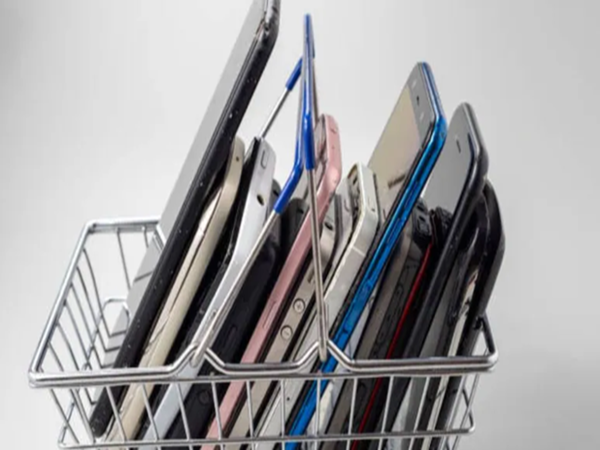
Tips for Selling Your Old Mobile Phone: As soon as a new smartphone hits the market, most people tend to sell or trade in their old mobile devices. However, in their haste, people often make mistakes that can lead to serious repercussions later on. A mobile phone stores not just photos and videos, but also a wealth of critical information—including banking apps, private chats, important documents, and social media accounts. If this data is not properly wiped before selling the device, your personal information could fall into the wrong hands. Cybersecurity experts emphasize that following a few essential steps before selling an old phone is absolutely crucial.
**First, Create a Complete Backup**
Before switching to a new mobile device, ensure you create a backup of all your essential photos, videos, contact numbers, and documents. You can use cloud storage services, a laptop, or an external hard drive for this purpose. This ensures that you can easily retrieve your old data once you acquire your new phone, eliminating any fear of losing important files.
**Make Sure to Remove Google and Apple IDs**
If you use an Android phone, it is mandatory to log out of your Google account. Similarly, iPhone users must remove their Apple ID. Failure to do so could allow the new owner of the device to access your personal information.
**Clear Out Banking and UPI Apps**
Simply deleting UPI, mobile banking, and digital wallet apps from your phone is not sufficient. You must first log out of these apps and *then* delete them. Often, a minor oversight in this regard can lead to banking fraud.
**Completely Delete Photos and Documents**
Thoroughly delete all private photos, videos, Aadhaar cards, PAN cards, and other important documents stored in your phone's gallery. Experts also recommend clearing out the "Trash" or "Recycle Bin" folders, as many files often remain stored there.
**Log Out of WhatsApp and Social Media Accounts**
For apps like WhatsApp, Facebook, and Instagram, it is essential to perform a proper "log out" rather than simply exiting the application. Additionally, ensure you back up any important chat history before deleting these apps.
**Finally, Perform a Factory Reset**
Once you have removed all your data, be sure to perform a "Factory Reset" on your mobile device. This restores the phone to a like-new condition and completely erases all old data. This option can be easily found within the Settings menu on both Android and iPhone devices.
**Don't Forget to Remove the SIM and Memory Cards**
Many people, in their haste, leave their SIM cards or memory cards inside the phone. This increases the risk of exposing contacts, OTPs, and other personal information. Therefore, be sure to remove them before selling your phone.
Disclaimer: This content has been sourced and edited from News18 Hindi. While we have made modifications for clarity and presentation, the original content belongs to its respective authors and website. We do not claim ownership of the content.
-
Do not wear these clothes even by mistake in the scorching heat of Nautapa, otherwise problems may increase.

-
BSNL Offer: Government company’s blast, you will get 2GB data and free SIM card every day for just ₹ 51
-
BSNL Offer: Government company’s blast, you will get 2GB data and free SIM card every day for just ₹ 51
-
Transformation of Gujarat’s roads with green technology, work will be started on 20 routes

-
Tom Moody hints at leadership change at LSG – Tezzbuzz