Internet Data Saving Tips: There are many apps in the smartphone which keep using the internet even after being closed.

(These are the ways to save your daily internet data)
Internet Data Saving Tips: Nowadays, almost everything relies on smartphones and the internet. Things like social media, video streaming, online classes, office meetings, and gaming seem incomplete without data. However, many people are worried that their daily data pack runs out quickly, even when they don't use the internet much. The biggest reason for this could be some hidden settings on the phone that constantly consume data in the background.
Background data became the biggest reason.
Many smartphone apps continue to use the internet even after they're closed. These apps download photos, videos, notifications, and updates in the background. This is why data consumption can quickly deplete even when the phone isn't in use.
If your data is running out quickly, first go to your phone's Settings and check the Background Data or Background App Refresh options. Turn off background data for apps that require less data.
The auto update feature is silently eating up the internet.
The Google Play Store and many apps have the Auto Update feature turned on. Apps automatically update as soon as the phone connects to the internet. Large updates can sometimes consume hundreds of MB of data without the user even realizing it. To avoid this, go to the Play Store settings and select the "Update Apps Over Wi-Fi Only" option. This will save mobile data.
HD video streaming consumes data quickly.
YouTube, Instagram, and other OTT apps often play videos in HD or Full HD quality. This increases internet consumption exponentially. Viewers of Reels and Shorts, in particular, tend to consume data the fastest. It's a good idea to set the video quality to Data Saver or Medium in the video app settings. This will keep videos playing and save data.
Leaving Hotspot ON can be costly.
Many people forget to turn off the hotspot after sharing the internet. This leaves other devices downloading updates in the background, draining mobile data. Therefore, it's important to turn off the hotspot immediately after use. Some phones also offer an Auto Hotspot Turn Off feature, which can be turned on.
Cloud Backup can also increase problems.
Google Photos, WhatsApp, and other cloud services constantly upload backups of photos and videos. If this setting is on for mobile data, it can consume a significant amount of internet data daily. You should disable the Backup Over Mobile Data option in the settings of these apps.
Changing a small setting will increase the life of your data.
If your internet pack runs out early every day, it's not necessarily the network company that's to blame. Sometimes, hidden settings in your phone are silently draining your data. By using the right settings and taking a little care, you can extend your mobile data usage and avoid the hassle of frequent recharges.
-
Gold Prices Rise As Weak Dollar And Middle East Tensions Rattle Markets

-
CSK Team Manager Russell Changes DP With MS Dhoni, '#THALA' Post Fuels Speculation Ahead Of SRH Clash At Chepauk

-
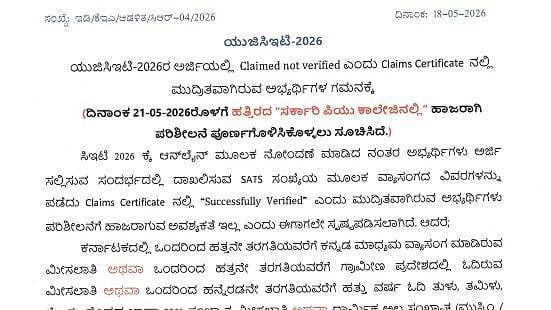
KEA Asks UGCET 2026 Candidates With Unverified Claims To Complete Certificate Verification By May 21
-
What Are Chola Copper Plates Returned To India By Netherlands? Know Everything About The Priceless Artefacts

-
India Pushes Indo-Pacific Defence Partnerships As Defence Minister Rajnath Singh Begins Vietnam & South Korea Visit