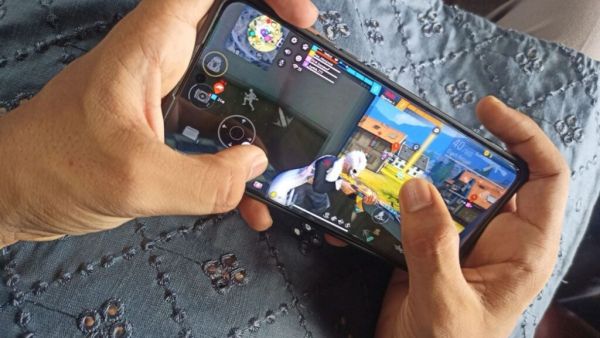
- Keeping the graphics low in the game and closing background apps can reduce lag.
- Keeping at least 3–5GB of storage free in the phone improves gaming performance.
- Game booster, strong internet connection and regular updates help the game run smoothly.
Playing online mobile games always requires a powerful phone. A phone with more storage and powerful features. But did you know that even in phones with low storage you Free Fire Max You can play such online games very easily. In fact, playing online games like Free Fire Max smoothly on phones with low storage is a bit tricky. But if you play using some smart settings and tricks, your gameplay can surely improve more than before.
Google Pixel 11 series coming soon; Tensor G6 chip and equipped with powerful features, know more
Keep graphics settings low
Go to the game settings and set the graphics setting to low. Keep High FPS off or Normal. Set up a mini map in a very simple way. This makes your game lag less and runs extremely smooth. (Photo Courtesy – Pinterest)
Clean phone storage
Delete unused apps from the phone. Save photos or videos to cloud or SD card. Keep at least 3 to 5 GB storage free in your phone. Because if the phone storage is full then the game lags.
Close the background apps in the phone
Close all background apps before starting online gaming in phone. Free up RAM. This makes your gaming performance better than before.
Internet connection
Use Wi-Fi if possible while playing games. Make sure the network is strong if using mobile data. If your network is weak then the gaming experience is completely spoiled.
Use Game Booster
If the phone has a built-in game mode or game booster, turn it on. This optimizes RAM and blocks notifications.
Avoid downloading too many resources
Do not download resources like HD Packs or Extra Skin Packs while playing the game. This causes the storage to fill up and the game to lag.
Turn off the battery saver
If the battery saver is running while playing games, the SOUP performance slows down and the game starts to lag. So try to turn off the battery saver if possible.
BGMI 4.4 Update: New update coming soon; The gaming experience will change with ‘Superfast Gadi’ and new maps
Regular updates
Keep updating the game continuously. This improves the gaming experience and also improves the performance. You can also play Free Fire Max Lite better in phones with low storage.
-
Over 3,000 Biomedical Papers Found Citing Medical Research That Do Not Exist
-
‘Are you seeing what I am seeing?’: Why Meryl Streep fought to wear one jacket in Devil Wears Prada 2

-
Quote of the day by Pink Floyd: ‘All you touch and all you see is all your life will ever be’. British rock band on reality and existence
-
Is Money Heist Season 6 coming soon? Everything you need to know about new series on OTT ahead of Berlin Season 2 release

-
On Mother's Day, actress Aditi Rao Hydari shares her life as a mom of two cats and how she connects with her pets despite being away on long shoots