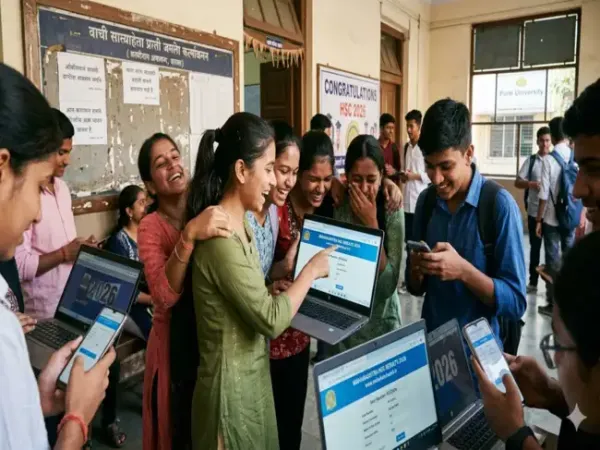
The Maharashtra HSC Class 12 result 2026 has been announced today by the Maharashtra State Board of Secondary and Higher Secondary Education (MSBSHSE) anytime soon. The direct link for Maharashtra HSC Results will be made active at 1 pm and huge traffic is expected as lakhs of students will be trying to check their results at the same time.
The MSBSHSE Class 12 results can be checked through alternative ways such as DigiLocker, UMANG app, if the main websites hscresult.mkcl.org, mahresult.nic.in and mahahsscboard.in don't work.
ALSO READ: Maharashtra HSC 12 Result 2026 Today Direct Link
mahresult.nic.in
mahahsscboard.in
DigiLocker
UMANG
The result will be released today at 1 PM. Candidates should keep their login details ready to access marksheets without delay once the link is activated.
Step 1: Open the DigiLocker app or visit the official website results.digilocker.gov.in
Step 2: Log in using your Aadhaar-linked mobile number or registered credentials.
Step 3: Go to the “Issued Documents” or “Education” section.
Step 4: Select Maharashtra State Board of Secondary and Higher Secondary Education and click on “Class XII Marksheet”.
Step 6: Enter your seat number and required details exactly as mentioned on the hall ticket.
Step 7: Click on “Get Document” to see your marksheet.
Step 8: Download and save the digital copy for future use.
Step 1: Download the UMANG app or visit its web portal.
Step 2: Register or log in using your mobile number.
Step 3: Search for Maharashtra Board services.
Step 4: Select the HSC Result 2026 option.
Step 5: Enter your seat number and other required details.
Step 6: Submit the information to view your result.
Step 7: Download or take a screenshot of your marksheet.
Checking HSC Results online
With the Maharashtra HSC Results coming today, students must know that they should enter the seat number and mother's name correct while checking the results on official websites. Here are the steps to follow:
Visit official websites mahresult.nic.in, mahahsscboard.in, or hscresult.mkcl.org.
Click on the link "HSC Examination February 2026 Result".
Enter your Seat Number and enter your Mother's First Name (if no mother name is listed, type XXX).
Click "View Result".
Download or print your digital mark sheet
The MSBSHSE Class 12 results can be checked through alternative ways such as DigiLocker, UMANG app, if the main websites hscresult.mkcl.org, mahresult.nic.in and mahahsscboard.in don't work.
ALSO READ: Maharashtra HSC 12 Result 2026 Today Direct Link
Official websites to check Maha HSC Results 2026
hscresult.mkcl.orgmahresult.nic.in
mahahsscboard.in
DigiLocker
UMANG
The result will be released today at 1 PM. Candidates should keep their login details ready to access marksheets without delay once the link is activated.
How to check Maharashtra HSC Results through DigiLocker
The Maharashtra HSC Result 2026 can be checked through DigiLocker once results are out at 1 PM. Students should follow these steps to retrieve their marksheet without delayStep 1: Open the DigiLocker app or visit the official website results.digilocker.gov.in
Step 2: Log in using your Aadhaar-linked mobile number or registered credentials.
Step 3: Go to the “Issued Documents” or “Education” section.
Step 4: Select Maharashtra State Board of Secondary and Higher Secondary Education and click on “Class XII Marksheet”.
Step 6: Enter your seat number and required details exactly as mentioned on the hall ticket.
Step 7: Click on “Get Document” to see your marksheet.
Step 8: Download and save the digital copy for future use.
Step by step to check HSC 12th Results 2026 through UMANG app?
The UMANG app is another official and easy way to check the Maharashtra HSC Result 2026. Students can follow these steps to access their results:Step 1: Download the UMANG app or visit its web portal.
Step 2: Register or log in using your mobile number.
Step 3: Search for Maharashtra Board services.
Step 4: Select the HSC Result 2026 option.
Step 5: Enter your seat number and other required details.
Step 6: Submit the information to view your result.
Step 7: Download or take a screenshot of your marksheet.
Checking HSC Results online
With the Maharashtra HSC Results coming today, students must know that they should enter the seat number and mother's name correct while checking the results on official websites. Here are the steps to follow:
Visit official websites mahresult.nic.in, mahahsscboard.in, or hscresult.mkcl.org.
Click on the link "HSC Examination February 2026 Result".
Enter your Seat Number and enter your Mother's First Name (if no mother name is listed, type XXX).
Click "View Result".
Download or print your digital mark sheet