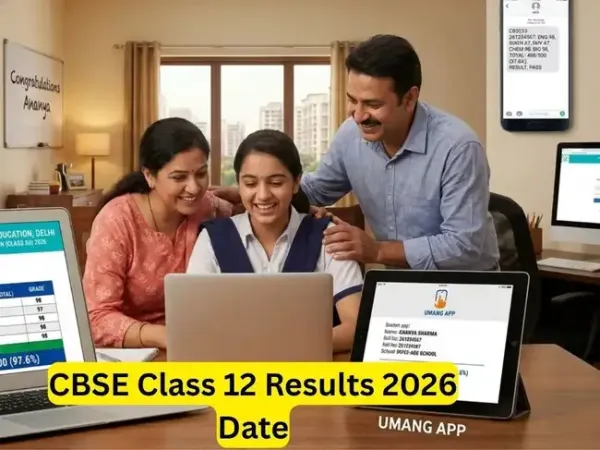
The Central Board of Secondary Education (CBSE) is likely to release the results of Class 12 students tomorrow, April 30, on its official website cbse.gov.in and results.cbse.nic.in. This year, CBSE might release the results early as compared to previous years due to the introduction of Screen Marking (OSM) system last year which has reduced the evaluation period from 12 days to around nine days.
ALSO READ: Telangana SSC result 2026 today
Online portals cbse.gov.in and results.cbse.nic.in
DigiLocker
UMANG app
SMS service
IVRS
SMS organizer app
Click on the link “CBSE Class 12 Result 2026” on the homepage
Fill in your roll number, school number, admit card ID, and date of birth
Submit the details to access your result
Your scorecard will appear on the screen
Download the result and take a printout for future reference
Go to the DigiLocker CBSE portal.
Click on "Go To Result" and select "View Result" under "CBSE XIIth Result 2026."
Enter your roll number and date of birth.
Click on "Submit" to access your marksheet
Click on "CBSE Class XII Results 2026."
Enter the required details such as class, roll number, and application number.
View and download your result.
Call 24300699 (for Delhi subscribers).
Dial 011-24300699 (for other regions).
ALSO READ: Telangana SSC result 2026 today
CBSE 12 Results Date and Time
According to media reports, the CBSE Class 12th results are likely to be announced in May this year. Some reports also suggest that results might come out tomorrow on April 29. The DigiLocker notice has not been released yet. Last year, the CBSE announced the Class 10 and 12 results together on May 13, 2025.How to check Class 12 results? Six ways
Students can check CBSE Class 12 results using these six methods:Online portals cbse.gov.in and results.cbse.nic.in
DigiLocker
UMANG app
SMS service
IVRS
SMS organizer app
Step by step guide to check CBSE Class 12 results online
Visit the official CBSE result website – results.cbse.nic.inClick on the link “CBSE Class 12 Result 2026” on the homepage
Fill in your roll number, school number, admit card ID, and date of birth
Submit the details to access your result
Your scorecard will appear on the screen
Download the result and take a printout for future reference
How to check results through DigiLocker
Students with APAAR IDs linked to CBSE will receive their digital marksheets directly in DigiLocker. The marksheets will be received under the "Issued Documents" section after the results are announced. If you don't have an APAAR ID, then you can create an account using your school code, roll number, and a 6-digit access code.Go to the DigiLocker CBSE portal.
Click on "Go To Result" and select "View Result" under "CBSE XIIth Result 2026."
Enter your roll number and date of birth.
Click on "Submit" to access your marksheet
How to use UMANG app
Visit the UMANG portal or app.Click on "CBSE Class XII Results 2026."
Enter the required details such as class, roll number, and application number.
View and download your result.
CBSE Class 12 results: Using SMS
Students can send a message in the format "cbse12" followed by their roll number, school code, and centre number to 7738299899 to receive their result.CBSE Class 12 results 2026: IVRS
Call 24300699 (for Delhi subscribers).
Dial 011-24300699 (for other regions).