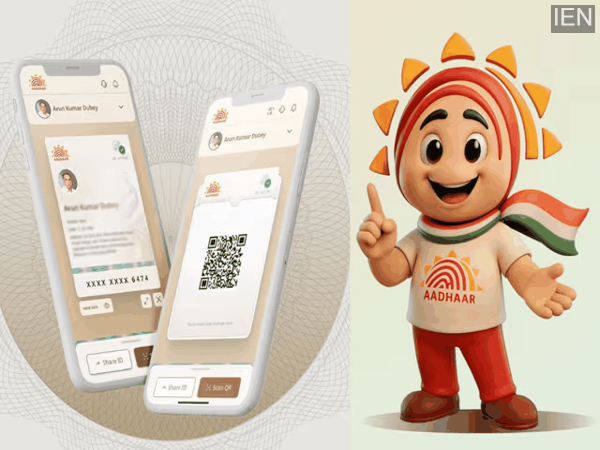
If your mobile number is not linked to your Aadhaar or has become inactive, you no longer need to visit an Aadhaar center. Thanks to new methods introduced by the UIDAI, you can now download your Aadhaar card from the comfort of your home through a simple process. Read on to learn how.
In today's times, Aadhaar has become an essential document; however, difficulties arise when your mobile number is not linked to it or has become inactive. In such situations, the inability to receive an OTP can cause various tasks to get stalled—most notably, downloading your Aadhaar becomes a challenge. However, the UIDAI has now introduced several new options that make this process much easier. It is now possible to download your Aadhaar card or obtain a physical copy even without a registered mobile number—you simply need to know the correct procedure.
How to Download Aadhaar Without an OTP?
If you require a digital copy, you can utilize the Face Verification (Face Authentication) feature. This method does not require an OTP. To do this:
Install the official Aadhaar app.
Navigate to the "Download Aadhaar" option.
Enter your Aadhaar number, EID, or VID.
Grant permission for camera access.
Complete the face scan.
Once the verification is complete, your Aadhaar PDF will be downloaded instantly.
Order an Aadhaar PVC Card
If you prefer a physical card over a digital copy, you can order an Aadhaar PVC card. To do this:
- Visit the official Aadhaar website.
- Select the "Order Aadhaar PVC Card" option.
- Enter your Aadhaar number or Enrolment ID.
- Select the option indicating that your mobile number is not registered.
- Enter an alternate (optional) mobile number to receive the OTP.
- Proceed to complete the payment process.
Once the process is complete, you will receive a Service Request Number (SRN), which you can use to track the status of your order. Your card will be delivered directly to your registered address within a few days.
Important Points to Keep in Mind
There are a few important points to remember when downloading your Aadhaar. For instance:
The password for your Aadhaar PDF is generated by combining the first four letters of your name (in capital letters) and your year of birth (e.g., XYZ1234). When performing face authentication, ensure that your face is clearly visible and the lighting is good.
For a better experience, always use an updated app or the latest browser.
-
ACB raid at Warangal registration office uncovers Rs 45 lakh bribery racket
-
Union Minister faults Telangana CM’s ‘dual views’ on Kaleshwaram corruption

-
For humanity: Madrasa students provide food for people affected by Lucknow fire

-
Trafficking of bonded labourers: SC asks labour ministry to file affidavit

-
Real or robot? Alia Bhatt’s fake fashion campaign goes viral