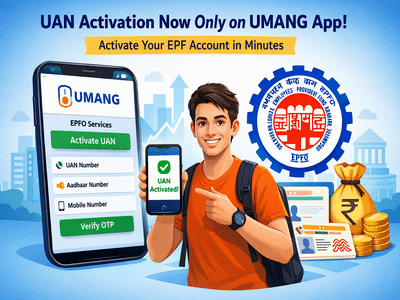
In a significant shift aimed at streamlining digital services, the Employees’ Provident Fund Organisation has moved the UAN activation process entirely to the UMANG app. Users who previously relied on the EPFO website may now notice that the activation option redirects them to the app, marking a clear transition toward mobile-first service delivery.
If you are a new EPF subscriber or have not yet activated your Universal Account Number (UAN), this step is now mandatory through the UMANG platform. Here’s everything you need to know to complete the process quickly and without confusion.
Why UAN Activation Is Essential for EPF UsersYour UAN acts as the central identity for all your Provident Fund accounts. Without activating it, you won’t be able to access key services such as checking your PF balance, downloading your passbook, or initiating withdrawals.
Once activated, the UAN allows seamless management of your EPF account. It also plays a crucial role when switching jobs, as it enables easy transfer of PF funds between employers. Additionally, important updates like linking Aadhaar, PAN, and bank account details can only be done after activation.
In short, activating your UAN is the first and most critical step to unlocking the full range of EPFO services.
What Has Changed in the Activation Process?Earlier, users could activate their UAN directly through the EPFO website. While the option may still appear on the portal, it is no longer functional and redirects users to the UMANG app.
This change reflects EPFO’s push toward a unified digital ecosystem, where services are centralized on a single government-backed platform. The updated process also incorporates Aadhaar-based verification, enhancing both security and accuracy.
Things You Need Before You BeginBefore starting the activation process, make sure you have the following details ready:
- Your UAN (Universal Account Number)
- Your Aadhaar number
- A mobile number linked with Aadhaar
The mobile number is especially important, as you will receive a One-Time Password (OTP) for verification. Ensure the number is active and accessible.
Step-by-Step Guide to Activate UAN on UMANG AppActivating your UAN through the UMANG app is straightforward. Follow these steps:
The entire process usually takes just a few minutes if all your information is correctly linked.
Important Points to Keep in Mind- Ensure your mobile number is linked with Aadhaar, or the process may fail.
- Double-check all details before submission to avoid errors.
- UAN activation is a one-time process—once done, you can directly log in and access all services.
- Keep your login credentials सुरक्षित for future use.
The shift to the UMANG app marks a clear move by EPFO toward a more streamlined and mobile-friendly user experience. While the change may initially confuse users accustomed to the website, the new system simplifies access by bringing multiple services under one platform.
If you haven’t activated your UAN yet, now is the time to do it. With just a few steps on your smartphone, you can gain full control over your EPF account and ensure smooth financial management for the future.
-
KKR vs GT IPL 2026: Struggling Kolkata Knight Riders Seek Turnaround Against In-Form Gujarat Titans

-
KKR vs GT IPL 2026: Struggling Kolkata Knight Riders Seek Turnaround Against In-Form Gujarat Titans
-
Anatomy of the clitoris: 3D images reveal its nerve system

-
Virat Kohli Likes German Model Liz Laz's Photo, Internet Says 'Big Algorithm Explanation Incoming'

-
Gardeners' World's Adam Frost made final show decision as wife 'was going to divorce me'