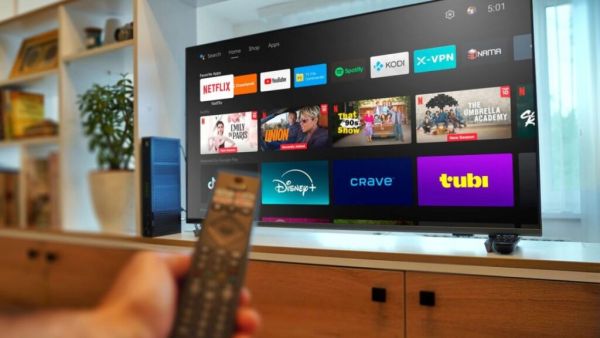
- The voice command feature in smart TVs can potentially send your conversations and personal information to a server.
- Granting location and app permissions can share your information and location online, posing a privacy risk.
- Turning off unnecessary permissions, turning off the TV when not in use, and avoiding personal conversations can help keep your data safe.
As technology advances rapidly, so does the threat to our privacy. Smartphones and smartwatches have made our lives easier and more convenient than ever before. We can complete many tasks like calling, messaging, office meeting, photography with the help of smartphone. While the smartwatch does health monitoring along with calling and messaging. This keeps you updated about your health. But you must know that these gadgets can pose a threat to your privacy. With this device Smart TV There is also such a gadget, which affects your privacy. That being said, a smart TV can listen to your conversations. Not only this, it can also share your location.
Redmi secretly launched two new smartphones! Equipped with a large battery and powerful features, how much does the device cost? find out
Tech companies currently focus more on smart TVs with upgrades and updates. Current smart TVs also offer a remote with voice control feature. This remote can share your conversation. You allow voice commands to the remote while using the Smart TV. This makes it easier to search for your favorite content on platforms like OTT and YouTube. (Photo Courtesy – Pinterest)
You have no idea how dangerous this one permission of yours can be. A recent report said that the voice command feature in the remote could transmit your conversations and personal information to Google or Amazon servers. Apart from this, smart TVs also have location permission so location can be accessed through Google Home or other operating system apps. This makes it easy to share your location online.
Tech Tips: Who’s Using Your iPhone’s Hotspot Data? Search in seconds, follow this simple process
Take care of these things while using smart TV
- The first thing to remember while using Smart TV is to turn off the TV if no one is watching the content on the TV. If the TV is switched off, its remote will not connect to the Internet and your personal information will not be shared online.
- Don’t give location permission to smart TV app, this will not share your home location with anyone.
- If not required then do not grant any permission to the app while installing it on the TV. which should not violate your privacy.
- Avoid talking about anything personal while the TV is on.
- Doing so will prevent your smart TV from listening to private conversations and sharing that information online.
-
Mumbai City FC Face FC Goa To Maintain Top Spot, Jamshedpur FC Look To Keep Pressure On The Leaders Against Kerala Blasters

-
Shubman Gill Goes Past Virat Kohli To Clinch IPL 2026 Orange Cap During GT VS KKR Clash

-
Bhooth Bangla Box Office Collection Day 1 Prediction: Akshay Kumar Starrer Expected To Take A Double-Digit Opening

-
Babushaan Mohanty, Archita Sahu Shine As 'Bou Buttu Bhuta' Wins Big At INCA Awards

-
Pima County Sheriff's Department Faces Backlash Over Misleading Social Media Post