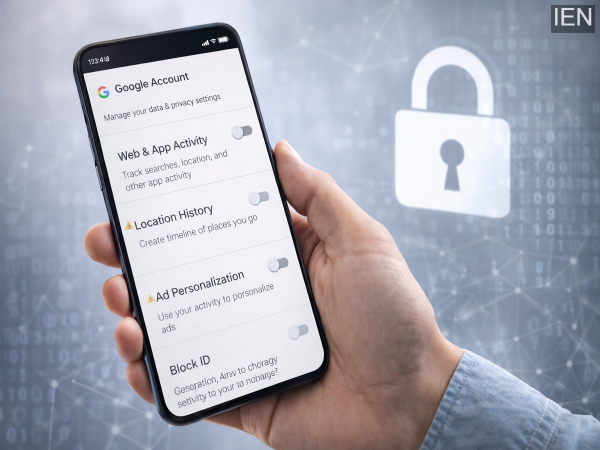
In today’s digital age, smartphones have become smarter—but also more data-driven. Many users worry that their Android phones are constantly sharing personal data with platforms like Google.
While data sharing helps improve user experience, not everyone is comfortable with continuous tracking. The good news? You can take control of your privacy by adjusting a few simple settings.
Here are 6 important Android settings you should change right now to limit tracking and protect your personal data.
1. Turn Off Web & App Activity
This is one of the biggest sources of data tracking.
What It Does:
- Tracks your searches
- Monitors app usage
- Records browsing and location data
What You Should Do:
Disable Web & App Activity to stop your actions from being recorded and stored.
2. Disable Location History
Your phone may be storing a timeline of everywhere you go.
Why It Matters:
- Tracks your movement history
- Stores location data over time
Fix:
Turn off Location History to prevent your travel data from being saved.
3. Manage YouTube History
Your viewing habits are also tracked.
What Happens:
- Saves watched videos
- Stores search history
Smart Move:
Set YouTube History to auto-delete or turn it off completely for better privacy.
4. Switch Off Ad Personalisation
Ever noticed ads that feel “too relevant”? That’s because of data tracking.
What It Does:
- Uses your data to show targeted ads
- Builds a profile based on your activity
Solution:
Disable Ad Personalisation to reduce targeted ads and data collection.
5. Turn Off Location Accuracy & Device Scanning
These settings constantly scan your surroundings.
What They Use:
- Wi-Fi
- Bluetooth
- Nearby devices
Action:
Disable Location Accuracy and Nearby Device Scanning to limit tracking via network signals.
6. Restrict Background Data Usage
Many apps send and receive data even when you’re not using them.
Problem:
- Unnecessary data usage
- Hidden background tracking
Fix:
Go to app settings and restrict background data usage for apps you don’t need running.
Why These Changes Matter
By adjusting these settings:
- You reduce unnecessary data sharing
- Improve your digital privacy
- Limit unwanted tracking and ads
- Save mobile data
It’s a simple yet powerful way to take control of your smartphone.
Final Takeaway
Your Android phone doesn’t have to track everything you do. With a few quick changes, you can significantly improve your privacy and reduce data exposure.
Take a few minutes today to review these settings—it’s a small step that can make a big difference in protecting your personal information. 🔒📱
-
Angkrish Raghuvanshi's Lighthearted Encounter with Fans Amid KKR's Struggles

-
Steven Spielberg reveals the reason behind shelving 'Robopocalypse'

-
CBSE Class 10 Result 2026: Will Results Be Declared on April 14? Here's the Truth

-
SBI WhatsApp Banking Launched: Check Balance, Mini Statement & More Without Visiting Branch
-
Actress Sonam Bajwa Left Surprised As Woman Blames Her For Broken Engagement