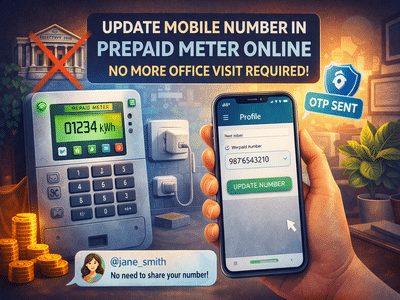
Updating your mobile number linked to a prepaid electricity meter is now easier than ever. Thanks to digital services rolled out under smart metering initiatives, consumers no longer need to visit electricity offices for such changes.
Whether your old number is inactive or you’ve switched to a new one, you can now update it from home using apps, websites, or even a simple phone call.
Why Updating Your Mobile Number Is ImportantWith the rollout of smart prepaid meters under the Revamped Distribution Sector Scheme, mobile numbers play a crucial role in:
- Receiving recharge alerts
- Monitoring electricity usage
- Getting outage notifications
- Accessing billing and account details
An outdated or inactive number may prevent you from receiving important updates.
Method 1: Update via Mobile AppMost electricity providers offer dedicated apps for managing prepaid meters. Follow these steps:
Once verified, your number will be successfully updated.
👉 Note: The exact steps may vary slightly depending on the app.
Method 2: Update Through WebsiteYou can also update your number via your electricity provider’s official website.
For example:
- Uttar Pradesh Power Corporation Limited (UP users)
- BSES Delhi (Delhi users)
Steps to follow:
If you are not comfortable using apps or websites, you can opt for the offline method:
- Call the electricity helpline number 1912
- Speak to a customer service executive
- Provide your Customer ID and old/new mobile numbers
The representative will process your request and update your number.
Things to Keep in Mind- Ensure your Customer ID is correct
- Keep your new mobile number active for OTP verification
- Double-check details before submission
- Updates may take a few minutes to reflect
Earlier, consumers had to visit electricity offices and stand in long queues to make such updates. Now, with digital platforms, the entire process has become:
- Faster
- Hassle-free
- Accessible from anywhere
Updating your mobile number linked to a prepaid electricity meter is now a simple, home-based process. With options like mobile apps, official websites, and helpline support, you can complete the update in just a few minutes.
Digital transformation under schemes like Revamped Distribution Sector Scheme is making everyday services more convenient for consumers—saving both time and effort.
-
Himachal Gyan Vigyan Samiti Elects New Executive Committee and Plans Voter Awareness Campaigns
-
Himachal Pradesh Housing Project Controversy: Former Chief Secretary Responds to Allegations

-
'Da Vinci Porul': How a Kerala artist's refutations of Dan Brown's novel became a kathakali play

-
Nashik court sends 'godman' Kharat to seven-day judicial custody in third rape case
-
Bengal: EC deviated from SIR process by introducing 'logical discrepancy' category, observes SC