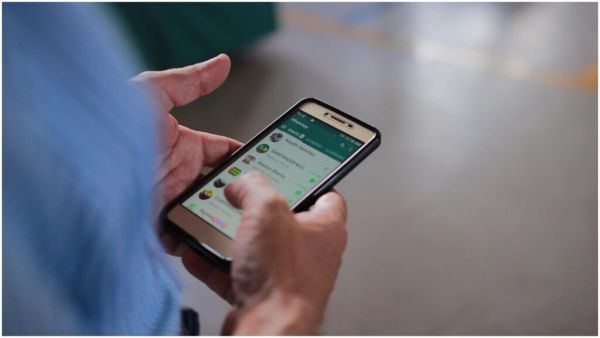
WhatsApp Privacy Chat Backup Security: While technology has made life easier in the rapidly expanding scope of the digital world, threats to our privacy and data have also increased. especially WhatsApp But where we do chatting, photo-video sharing and even payment every day, if the security becomes lax then the risk of cyber fraud and privacy leak increases. The good news is that by following just a few steps, you can make your WhatsApp so strong within 60 seconds that your data remains safe.
Important first step: Turn on two-step verification
Two-step verification is the most effective feature to make WhatsApp secure. To turn it on, go to Settings ~ Account ~ Two-step verification and set a 6-digit PIN. By doing this, any time your number tries to login on another device, it will ask for the PIN. Without PIN, your account will not be accessible, which significantly reduces the risk of account hijacking.
Keep chat backups safe by encrypting them
WhatsApp chats are often backed up to Google Drive or iCloud. To keep them safe, activate Settings ~ Chats ~ Chat Backup ~ End-to-end encrypted backup. This backup will be locked with a password or encryption, so that no one will be able to easily access your saved chats. This method prevents potential data leaks from occurring on backups.
Increase security of private chat with biometric lock
It is necessary to set fingerprint or face lock on your WhatsApp screen and chats. Go to Settings ~ Privacy ~ Fingerprint lock / Face ID and turn it on. This will open WhatsApp only with your biometric identity and no unauthorized person will be able to see your chats.
Set the privacy of profile photo and last seen
Scammers often collect personal information from profile photo, Last Seen or About. To avoid this, go to Settings ~ Privacy ~ Profile Photo / Last Seen / About and limit them to My Contacts. This way your sensitive information will remain hidden from strangers.
Be cautious of unknown links and forward messages
Do not immediately trust any unknown link or forward message. Even a seemingly good link may be fake and your information may be in danger once you click on it. WhatsApp’s Suspicious Link Detection feature warns on suspicious links. Before opening every link, check the credibility of the source.
-
Aadhaar Update Charges 2026: Fees for Name, Address, Mobile Changes Explained Clearly
-
Wedding Card Scam Alert: One Click Can Empty Your Bank Account—How to Stay Safe
-
NEET UG 2026: Worried about Blood Sugar Levels and Insulin Pumps? Diabetic Candidates to Receive Special Concessions in NEET UG...

-
NEET UG 2026: Will the NEET UG exam be postponed tomorrow? Amidst reports of rain, find out NTA's plan..

-
Gujarat Board Result 2026: Will the Gujarat Board Class 12 Results be released on May 4? Get updates on Class 10 results as well..