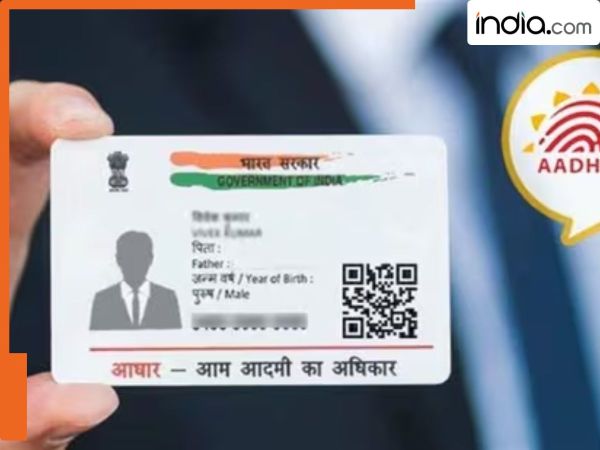
Aadhaar card is one of the most important identity documents in India as it is used for government services banks telecom and many other usages. Since it is connected to your mobile number PAN and many financial services it is essential to ensure that the information is correct and up to date. If an individual has recently changed their house or address they can change their Aadhaar online. Individuals dont need to go to the Aadhaar service center to do it. The Unique Identification Authority of India (UIDAI) has provided this facility on its official website. An individual can update his/her address through UIDAI’s Self Service Portal. Follow these steps: Visit the official UIDAI website: uidai.gov.in. Go to the “My Aadhaar” section and click on Update Your Aadhaar. Select Update Aadhaar Online and log in using your Aadhaar number and the OTP sent to your registered mobile number. Choose the Address Update option. Enter your new address accurately. Upload valid proof of the new address (such as electricity bill rental agreement bank statement etc.). Review all details and submit your request. Documents Required: UIDAI accepts several documents as valid proof of address such as: Electricity or water bill (not older than 3 months) Property tax receipt Passport Bank passbook or statement Ration card Rental agreement (with landlord’s signature) Driving license Voter ID card Once the online request is submitted UIDAI will check your documents and information. This process usually takes a maximum of 7 - 10 working days before the result is available. Once you submit the request you will receive the URN (Update Request Number) to check the status. After verification and validation of the documents you can download the e-Aadhaar after the approval from the UIDAI portal.
-
The jaw-dropping poll that shows Nigel Farage could score an unlikely triumph

-
Sheikh Mohammed announces Dh34-billion 'fully underground' Dubai Metro Gold Line

-
Gujarat Election Commission Makes Disclosure of Social Media Campaign Spending Mandatory
-
Sunrisers Hyderabad Takes a Fun Break with Diamond Raja in New Campaign!

-
Retired Woman Doctor Loses Rs. 1.55 Crore in 'Digital Arrest' Cyber Fraud in Lucknow