

State Bank of India (SBI), the country's largest government-owned bank, continues to make banking more accessible with its YONO app — a one-stop solution for all your banking needs. With this mobile application, you can manage your account and perform various banking tasks on-the-go, making banking more convenient than ever.
In this article, we’ll guide you through how to download and register for the SBI YONO app, as well as highlight the useful features that make this app a must-have for SBI customers.
How to Download the SBI YONO AppThe SBI YONO app is available on both Apple and Android platforms:
-
For Apple users: Visit the Apple App Store and search for "YONO SBI."
-
For Android users: Head to the Google Play Store and download the app from there.
If you already use SBI Internet Banking, the registration process for the YONO app is simple and quick:
Open the YONO app and select the ‘Existing Customer’ option.
Tap on the ‘Login using Internet Banking ID’ option.
Enter your Internet Banking username and password.
You will receive an OTP on your registered mobile number. Enter the OTP to verify.
Set a new 6-digit MPIN for future logins.
You are now ready to use YONO for all your banking needs.
For users who do not have SBI Internet Banking, follow these steps:
Open the YONO app and select the ‘New User’ option.
Click on ‘Register with Account Details’.
Enter your account number, CIF number, and ATM card details.
Create your username and password.
An OTP will be sent to your registered mobile number. Enter the OTP and verify.
Set a 6-digit MPIN for future logins.
Once this process is complete, you can start using the YONO app.
The YONO app offers a wide range of features to make banking simpler and more efficient. Here’s a list of services you can access directly from your smartphone:
-
Check your account balance at any time.
-
Transfer money between accounts or to other bank accounts.
-
Open Fixed Deposits (FDs) and Recurring Deposits (RDs) directly from the app.
-
View mini statements and transaction history for quick account insights.
-
Pay utility bills such as mobile, DTH, electricity, water, and gas bills.
-
Pay credit card bills with ease.
-
Apply for personal loans, home loans, or car loans.
-
Get information on mutual funds and other investment options.
-
Enjoy exclusive offers on online shopping, movie tickets, and flight/hotel bookings.
The SBI YONO app brings the full power of digital banking to your fingertips. Whether you're checking your account balance, paying bills, or applying for loans, YONO makes it all incredibly easy. It also offers seamless integration with various third-party services, making it a valuable tool for everyday financial tasks.
By registering for YONO, you gain access to 24/7 banking services, allowing you to manage your finances anytime, anywhere.
-
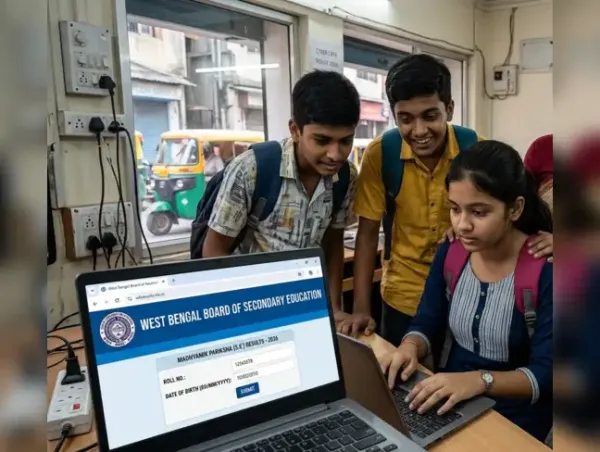
wbresults.nic.in not working? Check WBSSE Madhyamik 10th Results alternative ways to download your scorecad
-
Angry Shakti Kapoor Reacts To Death Rumours, Warns A Cyber Complaint: This Is Not Good

-
West Bengal Madhyamik Result 2026 Out- Check Pass Percentage, Toppers List, Alternate Ways You Can Check Results

-
Stock Market Opening Bell: Sensex Fell 0.51%, Nifty 50 Plummeted 0.49% - Here's Why

-
Britannia Share Price Falls 4% Despite Q4 Profit Jump; Price Hikes Ahead?